Xoradora
Load a sample, resynthesise it using one of seven sound models to reshape it in ways both subtle and extreme
About
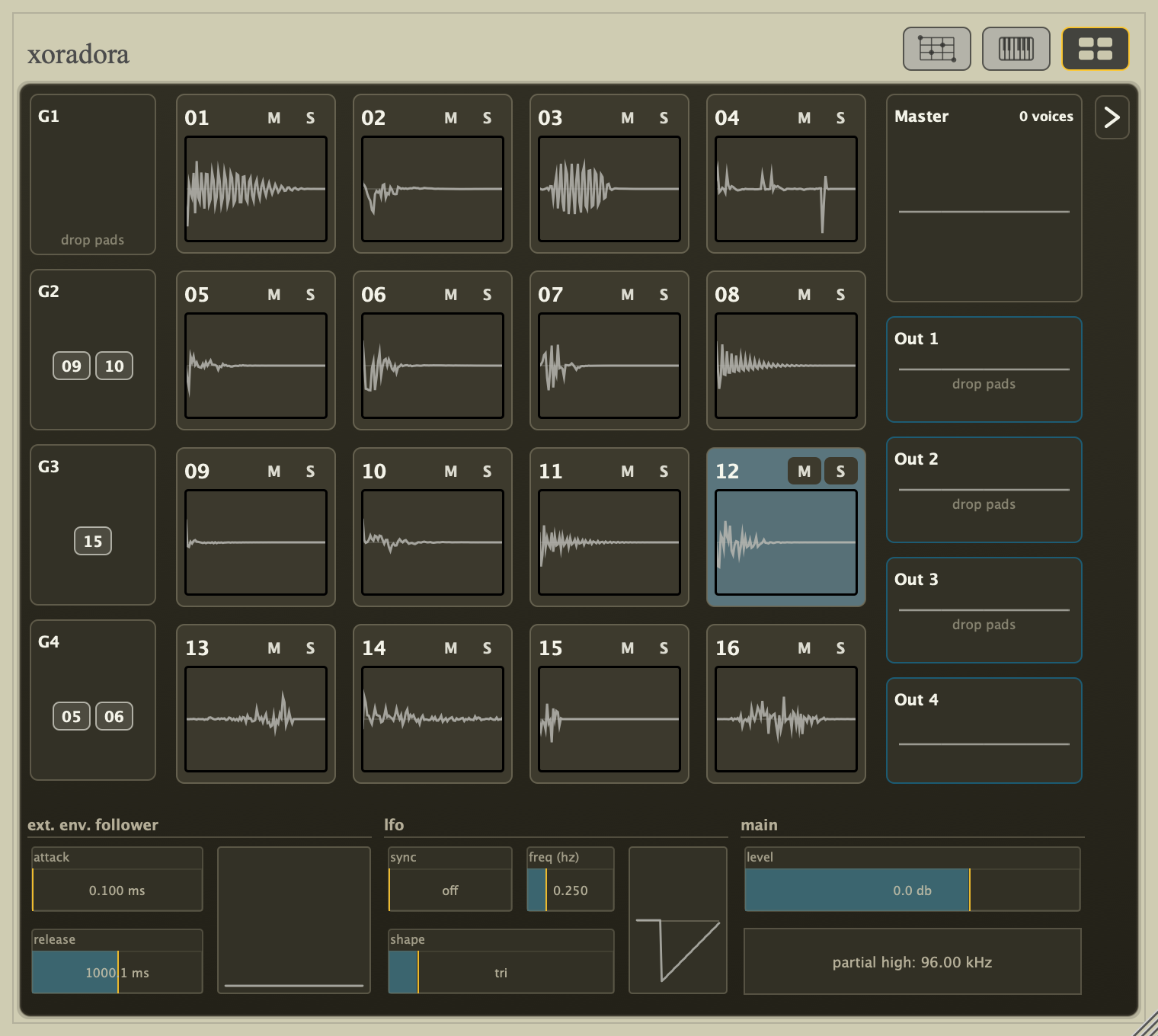
Xoradora is a drum machine designed for resynthesising drum sounds from samples. Depending on your goals and the model used, you can tweak drums slightly - as if changing the shape of the resonating body, or the interaction between the different physical elements which comprise it - or you can tear them apart entirely to be reformed into novel alien sounds or rhythmic sources.
Xoradora is currently in public beta, priced at €44 / $49 USD. The price will increase when Xoradora reaches 1.0.
Seven models provide distinctly different ways of analysing and resynthesising your samples. For each model, a different set of parameters allow you to alter aspects of the model, with many of the parameters also being valid targets for modulation by LFO or an envelope follower on an external audio source.
Each model resynthesises the source as if from scratch, rather than altering it via a post-processing filter or effect. At neutral settings the original character remains almost identical. Move away from neutral and the same sample can adopt a different shell, impact, texture, or gesture. The resynthesis models offer a great breadth of sound design possibilities and are extremely flexible. The drum machine focuses on this dry resynthesis rather than nifty post processing or filtrs. As a result, the only effect-like parameters included in this release are output saturation and a per-voice "Voice Ceiling" - to keep the experimentation mostly safe to transient signals when using extreme modifications. The non-Warp modes also have a pre-saturation trim control in their Guided/Advanced view for extra headroom.
In the standalone app there is also a ducking compressor with side-chaining. This is meant more for messing around with sounds without a DAW or getting a feel for the drum machine. Like the built-in sequencer, it is by no means intended as a replacement for what you would find in a plugin host, but the patterns are and settings are saved with kits so they help you create a demo for your kits if you so wish.
Everyone probably has their own tricks for incorporating drums into a mix. Side-chaining, reverb & delay sends - this drum machine offers one set of main outputs and four stereo output buses so you can incorporate it into most workflows. Xoradora aims to do one thing (albeit 7 different ways) and to do it very well.
Development background
At the start of the year, I began resuscitating my "Macomate 88" effect/synth for re-release with some nifty new features, but I wanted to have a sound source that I could use in demos, and (for reasons I now don't remember) I wanted a drum machine.
THe drum machines I used to use, excellent though they are, are no longer maintained - and I decided (probably as procrastination, because releasing stuff is painful) to instead make my own drum machine. 26 years I ago I was processing drum samples offline in Matlab; now - with faster processors, a large collection of signal proessing bits and pieces I've tinkered on over the years, and more programming experience myself - it should be possible to re-realise those (then) painfully slow experiments in a drum machine/resynthesiser with the sort of workflow I would like to use myself to create music.
See Xoradora in action
Seven models
Each model analyses the structure of the source sample from a different perspective. The models are described here in broad strokes, along with diagrams which show which features are being altered, but without getting too deep into the algorithms. Muted grey lines show material found in the source; blue lines show the reshaped model. Gold is reserved for transient material such as attacks and short sound slices. The model overviews & text descriptions that follow are auto generated from internal design documents so that they remain up-to-date with release updates. If you find a description confusing or would like more detail, please let me know and I'll try to describe it more clearly or adjust the auto-generation process.
Warp — attack and body
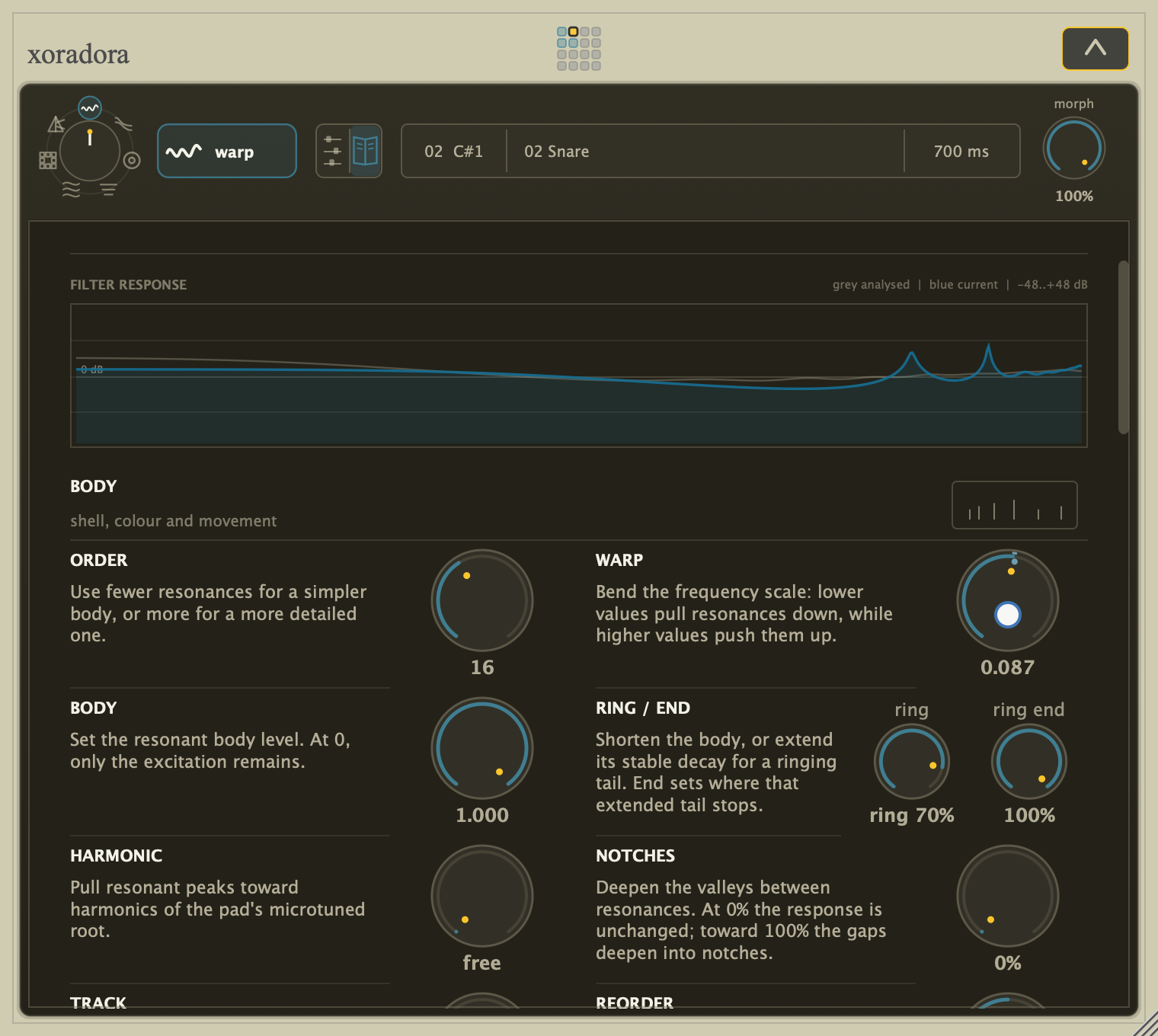
Warp separates the strike from the changing body of a hit. The attack can stay recognisable while you simplify or complicate the body, change its motion, or push it into something physically implausible. It is especially good at turning one shell, cavity, or thump into another.
Halo — colour and detail
Halo separates broad colour/spectral outline from the fine texture that gives a sound its grain. Flatten or exaggerate that colour, make it more or less detailed, use Freeze to hold it at one moment, or stretch its movement through time while the finer character remains present.
Hull — ringing body and impact
Hull follows the decaying tones inside a hit while keeping the attack and noise separate. Tune, spread, damp, extend, or destabilise the ringing body without dragging the rest of the sound along with it. Shells, plates, bells, toms, and other ringing material become directly tunable.
Prism — bands in motion
Prism follows the low, middle, and high movement inside a hit. The fast texture and slower shape of each region can move separately, so gestures can stretch, stagger, smooth, exchange character, or drift toward noise without simply filtering the finished sample.
Grain — overlapping slices
Grain rebuilds the sound from short, overlapping slices. They can be thinned, held, smeared, folded, or punctured with holes; attack and pre-echo controls decide how much of the original strike survives. The result is musical digital damage rather than an MP3 effect placed after playback.
Strata — learned musical roles
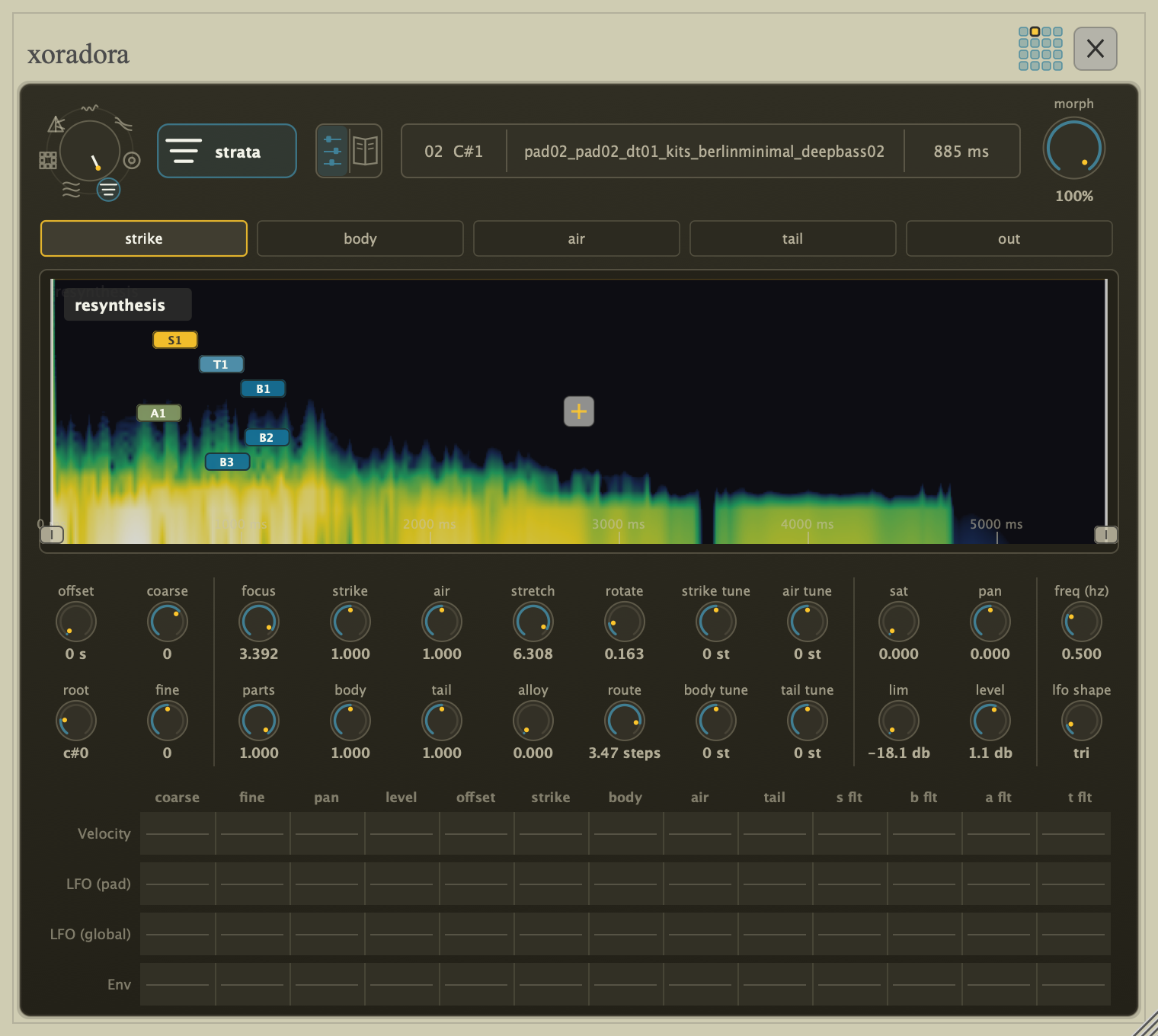
Strata learns several short patterns from a hit and groups them into strike, body, air, and tail. Balance those roles independently, change how clearly they separate, stretch or scatter their movement, and exchange their shapes and timelines. It treats the sound as a collection of percussive events rather than one solid object.
Strand — tone, attacks, and noise
Strand separates stable pitched tones, short attacks, and coloured noise. Retune or reharmonise the tone, move and sharpen the attacks, reshape the noise colour, and give tone and noise independent decay, stretch, or reverse timelines. Its normal live tier follows 24 tones, with an optional 48-tone HQ mode for dense metallic material.
Guided mode
"Guided mode" provides a scrollable view for the mode where each parameter has a short description. You can enter the Guided view from the default Compactview via context menu, pressing H or the TAB key on desktop or by pressing the button above the waveform/spectrogram display to left of the sample name.
Controls in the Guided view are grouped by musical purpose and are fully interactive. In addition, at the top of the guided there is a visualisation of the mode: Warp shows the resonances and notches in the changing frequency response, Halo the broad colour, Hull the ringing tones, Prism the band motion, Grain the sound slices, Strata the parts in time, and Strand its three layers.
For modes where not all parameters could be contained within the compact view, the Guided view also contains these "overflow" parameters.
Built for exploration
- Audition the original and resynthesised sound side by side.
- Learn how each model works in the interactive "Guided view".
- Use an interactive evolution to audition variations and breed the sounds you want.
- Animate model-specific controls with envelopes and per-hit movement.
- Bounce a transformed pad in place, to another pad, or to an audio file, then reshape it again.
- Tune the result to standard or alternative microtonal scales.
Formats
- macOS: VST3, AU, CLAP and Standalone
- Windows: VST3, CLAP and Standalone
- iOS: AUv3 and Standalone (under development)
- Linux, AAX will be considered if there is sufficient demand
Downloads
Free to try. Trial mode mutes audio for 5 seconds every 10 minutes.
Changelog
Version 1.0.0-beta.1
- Initial Xoradora release
- Sixteen-pad sample-triggering instrument
- Seven sound models: Warp (attack and body), Halo (colour and detail), Hull (ringing body and impact), Prism (bands in motion), Grain (overlapping slices), Strata (learned musical roles), and Strand (tone, attacks, and noise)
- Per-pad playback shaping, envelopes, modulation matrix, choke groups, mute/solo, output routing, and Bounce/resampling
- Free-rate or tempo-synchronised per-pad and global LFOs
- Morph, multi-output bus routing, per-pad Trigger/Gate and mono playback, and MIDI/microtuning support
- Sample import (folders, loose audio, SFZ, Hydrogen, and native
.xorakitkits) with role-aware classification - Standalone sequencer (16/32/64 steps) for pattern sketching, plus Phone Link remote pads and sequencer
- macOS VST3/AU/Standalone, Windows VST3, and iOS AUv3/Standalone targets